 Live Test Runner
⚡
Reruns on save
Only the tests affected by the file you just saved run, so feedback comes in seconds, not minutes.
Live Test Runner reruns the Jest and Vitest tests affected by every save, then shows pass/fail, durations and per-line coverage right next to your code. No terminal. No config.
or in VS Code: ext install EshLabs.live-test-runner · works in VSCodium, Cursor & Windsurf



Features
Wallaby-style feedback for Jest and Vitest, built right into VS Code.
Only the tests affected by the file you just saved run, so feedback comes in seconds, not minutes.
Every file, suite and test in the sidebar as soon as you open the project, before anything runs.
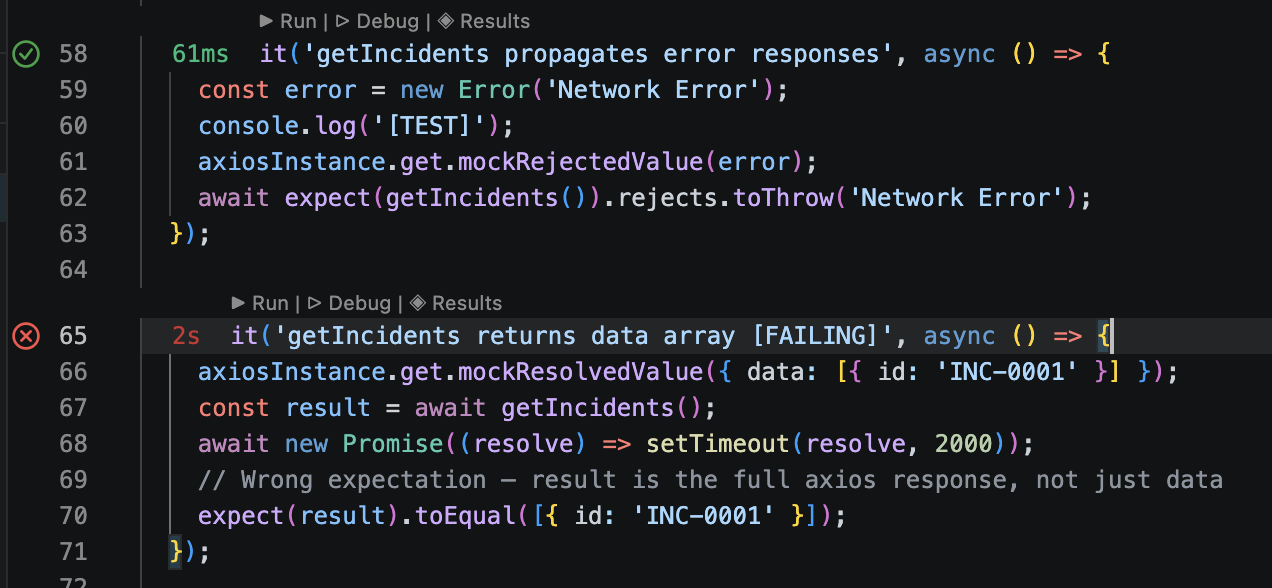
Gutter icons, color-coded inline durations, and ▶ Run · ▷ Debug · ◈ Results above every test.
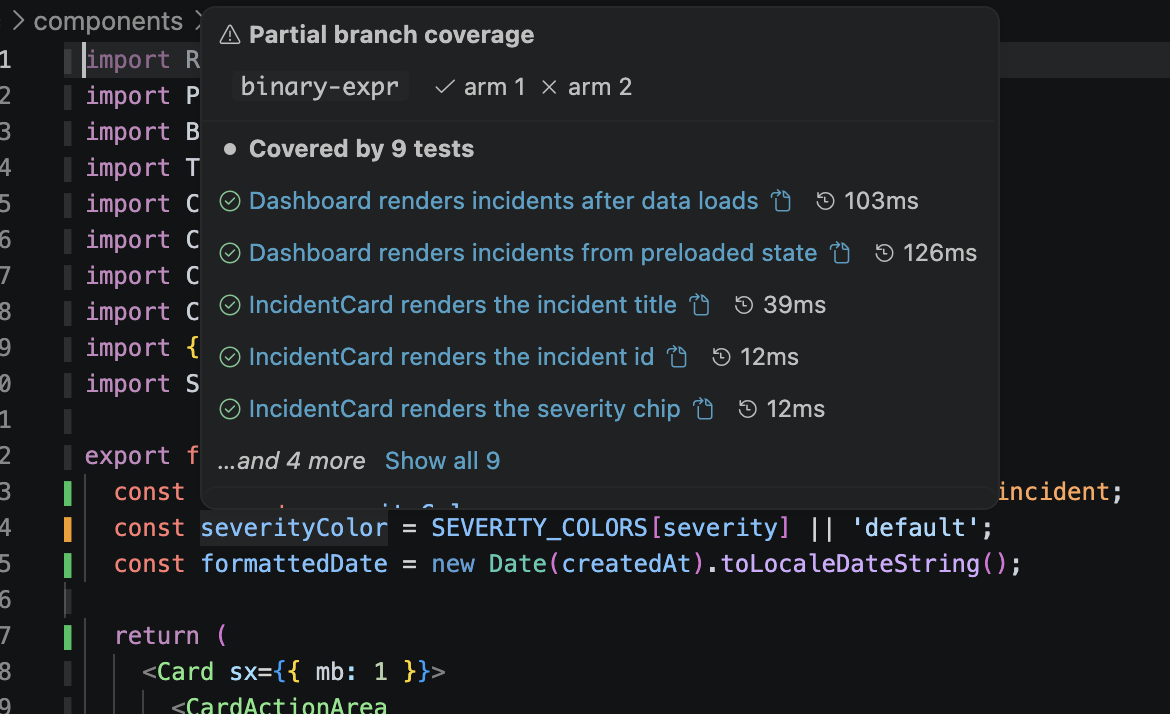
Per-line coverage bars in your source files. Hover a line to see exactly which tests hit it.
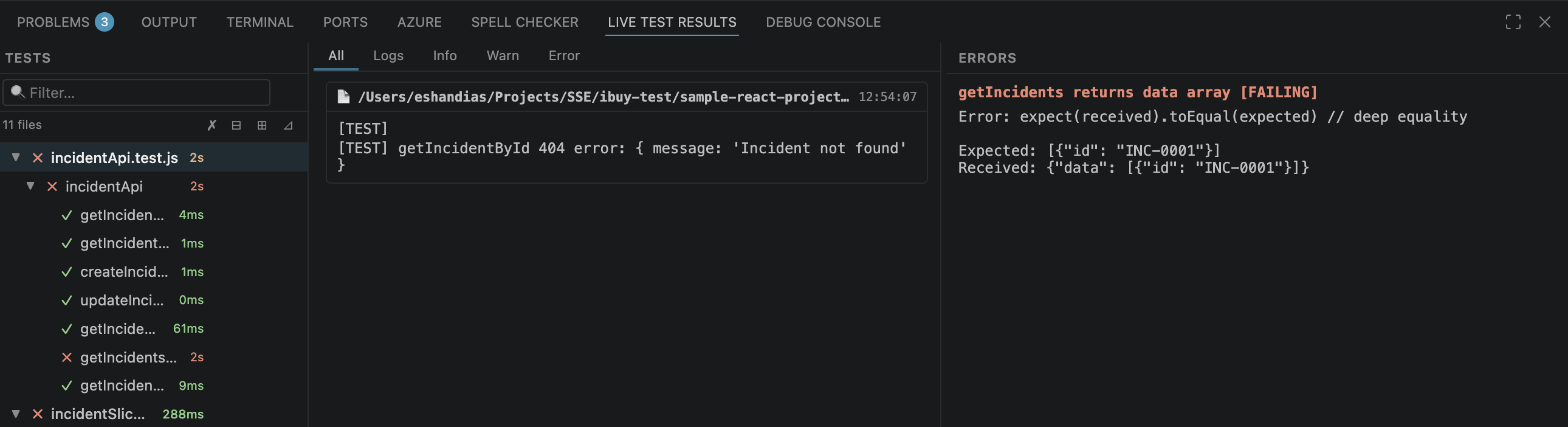
Searchable test list, console output by level, and failure messages with stack traces side by side.
Step through a finished test line by line, with variable values shown inline. No breakpoints.
Coverage
After the first run, every source file shows per-line coverage. No separate command, no report to open.
Results
A three-column panel puts the test list, its console output and its failures in one view.
Explorer
The sidebar tree fills in on project open and turns green and red live as files finish. The status bar keeps a running count.
.each templates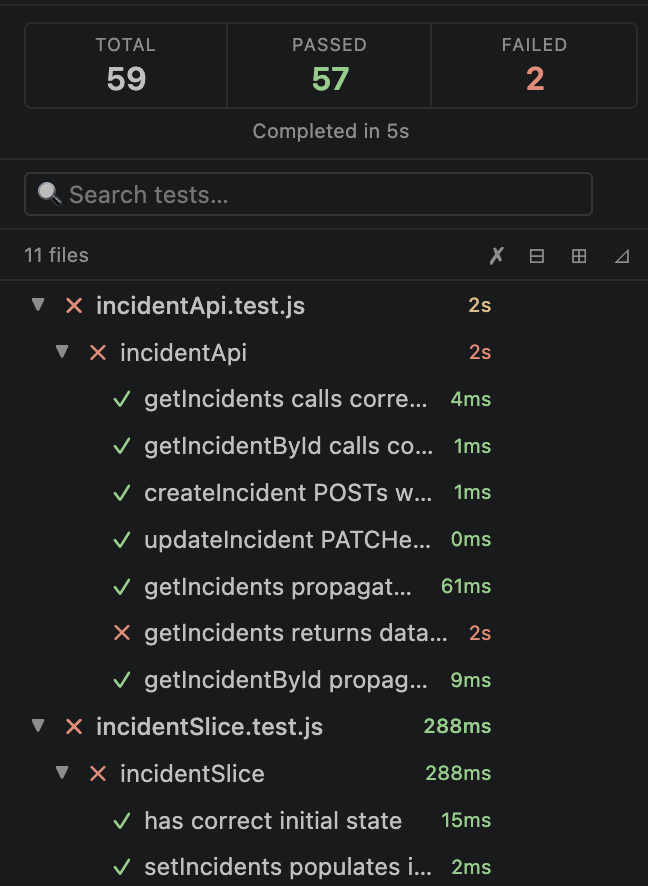
Get started
Your existing Jest or Vitest setup is all it needs.
From the VS Code Marketplace or Open VSX.
Click the beaker icon. Tests are discovered right away.
Click ▶ Start Testing. The full suite runs once.
Edit and save. The affected tests rerun on their own.
Frameworks
babel-jest, ts-jest and @swc/jest; Create React App (react-scripts 4 & 5); Vitest 3+. Any UI framework: React, Vue, Svelte, Solid, Angular, Astro and more.
| Feature | Jest | CRA | Vitest |
|---|---|---|---|
| Run on save, pass/fail | ✅ | ✅ | ✅ |
| ▶ Run / ▷ Debug a single test | ✅ | ✅ | ✅ |
| Console output | ✅ per file | ✅ per file | ✅ per test |
| Per-line coverage | ✅ | ✅ | ✅ |
| Live per-file progress | ✅ | ✅ | ✅ |
| Rerun tests related to a source file | ✅ | ✅ | ✅ |
| Monorepos (one project per package, switcher) | ✅ | 🟡 | ✅ |
| Jest and Vitest in one project | ✅ | — | ✅ |
| Covering tests on hover | ✅ | ✅ | ✅ |
| Vue / Svelte / Astro components (reruns, coverage, covering tests) | ✅ | — | ✅ |
✅ supported · 🟡 partial · ⏳ coming soon · Full support matrix
Reviews
A quick rating helps other developers find it. Reviews are posted on the marketplace you installed from.
For VS Code users. Sign in with a Microsoft or GitHub account to rate and review.
Write a reviewFor VSCodium, Cursor, Windsurf, Gitpod and other Open VSX editors. Sign in with GitHub to review.
Write a reviewFound a bug or have an idea? Open an issue on GitHub or give the repo a ⭐.
FAQ
Jest (babel-jest, ts-jest, @swc/jest), Create React App (react-scripts 4 and 5) and Vitest 3+. Vitest 1 and 2 run with results only. The framework is detected from your project. Any UI framework works — React, Vue, Svelte, Solid, Angular, Astro and more.
No. Live Test Runner uses your existing config and the test binary already in node_modules. Nothing extra is installed into your project.
No. Nothing runs until you click Start Testing, and Stop ends the session. Single ▶ Run and ▷ Debug clicks from the editor always work.
Yes. It is free and open source under the MIT license, on the VS Code Marketplace and on Open VSX for VSCodium, Cursor, Windsurf and other compatible editors.
jest --watch?Results show up where you write code: gutter icons per test, inline durations, Run and Debug buttons, per-line coverage with a hover listing the tests that hit each line, and a results panel with per-test output and errors.
Install Live Test Runner and get test results the moment you save.